
Zoho has introduced a refreshed and more intuitive NextGen UI for Zoho CRM, designed to improve usability, boost productivity, and provide a cleaner, wider workspace. Built directly from partner and customer feedback, the upgraded interface delivers a smoother, more modern user experience.
Below is a breakdown of what’s new in the UI, how the rollout works, and what users should expect next.
Key Improvements in the Upgraded NextGen UI
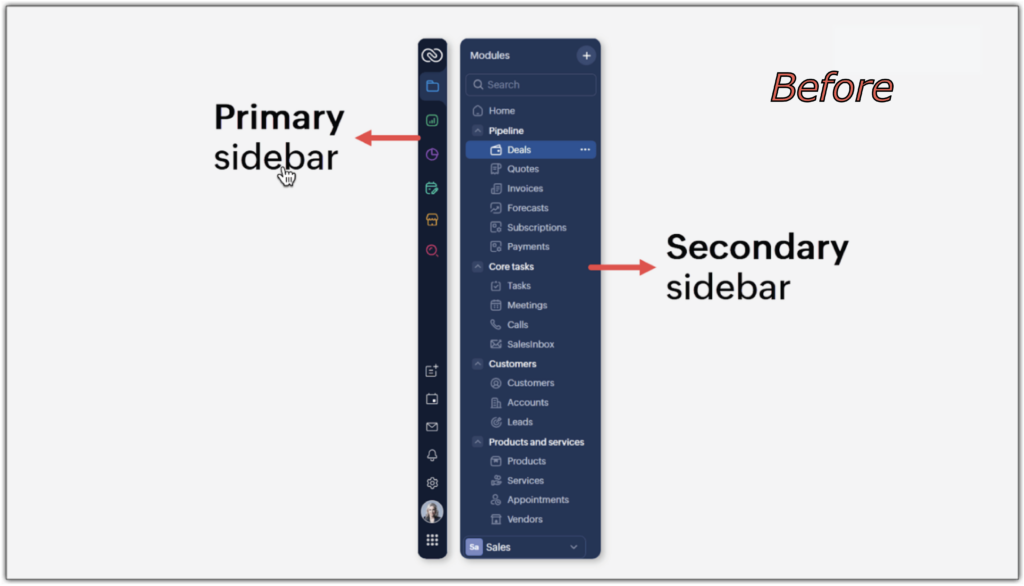
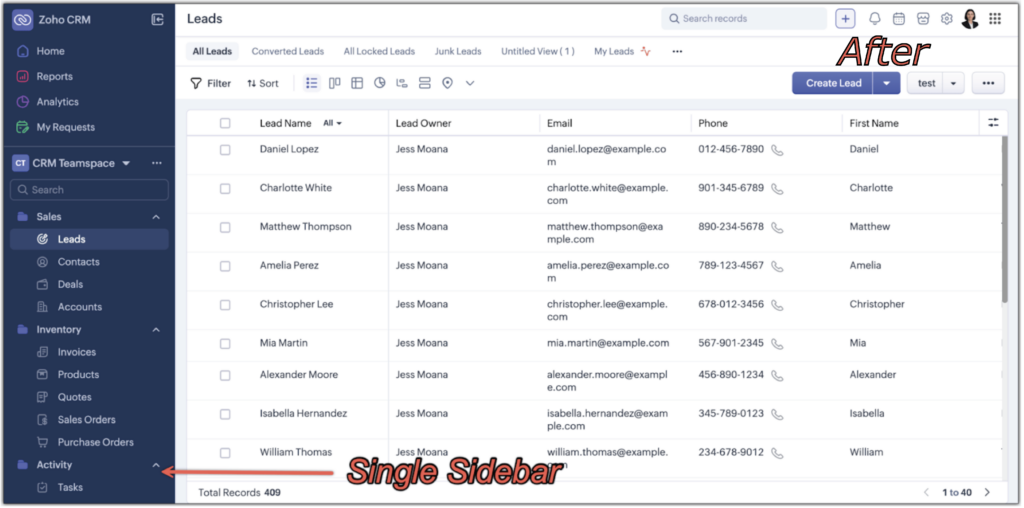
1. A Single, Unified Sidebar
The old dual-sidebar layout has been streamlined into one clean, scrollable sidebar. This simplifies navigation and frees up valuable screen space.
Source: Zoho Corp. Zoho CRM for Everyone’s NextGen UI Gets an Upgrade
Source: Zoho Corp. Zoho CRM for Everyone’s NextGen UI Gets an Upgrade
2. Global Search & Quick Create Repositioned
Global Search now sits at the very top of the screen for better visibility. The “+” icon has also been upgraded to include all Quick Create actions: everything from adding new records to creating team or org modules.
Source: Zoho Corp. Zoho CRM for Everyone’s NextGen UI Gets an Upgrade
3. Setup Has a New Home
Setup has moved to the top-right corner and now opens into a redesigned Setup Homepage with organized categories for faster configuration.
Source: Zoho Corp. Zoho CRM for Everyone’s NextGen UI Gets an Upgrade
4. One-Click Access to Reports & Dashboards
Reports and dashboards are now conveniently accessible from a single dropdown in the sidebar. Just click Reports and choose a dashboard from the menu.
Source: Zoho Corp. Zoho CRM for Everyone’s NextGen UI Gets an Upgrade
Source: Zoho Corp. Zoho CRM for Everyone’s NextGen UI Gets an Upgrade
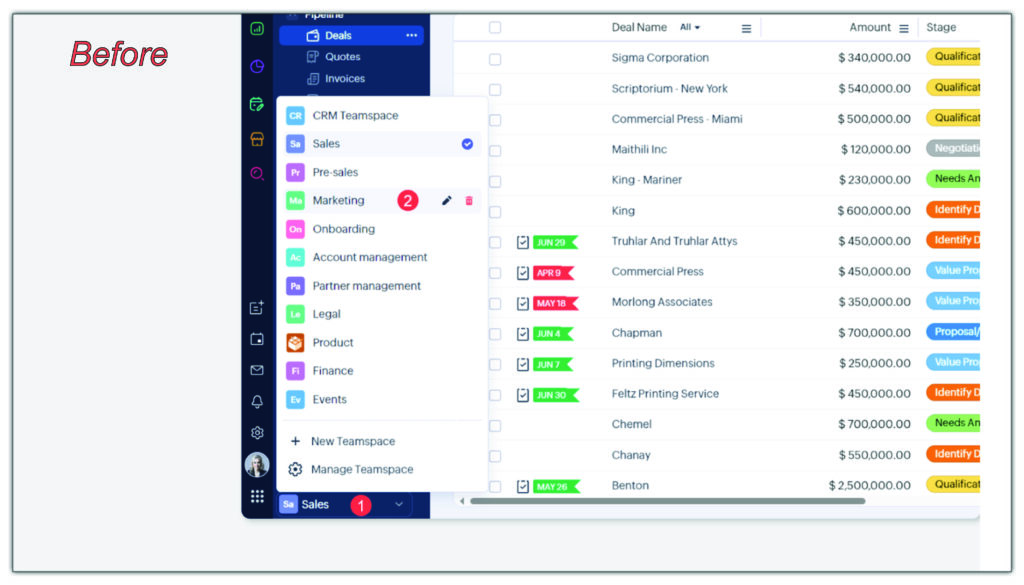
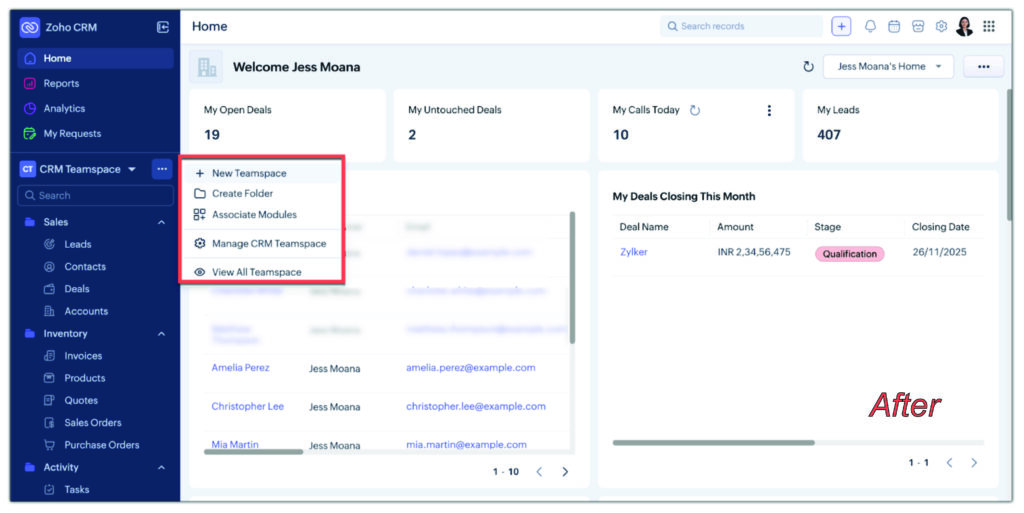
5. Improved Teamspace Navigation
The Teamspace switcher is now easier to access. A new More (… ) menu allows users to create and manage teamspaces, folders, and modules. Management tools now open in a right-side pop-up.
Source: Zoho Corp. Zoho CRM for Everyone’s NextGen UI Gets an Upgrade
Source: Zoho Corp. Zoho CRM for Everyone’s NextGen UI Gets an Upgrade
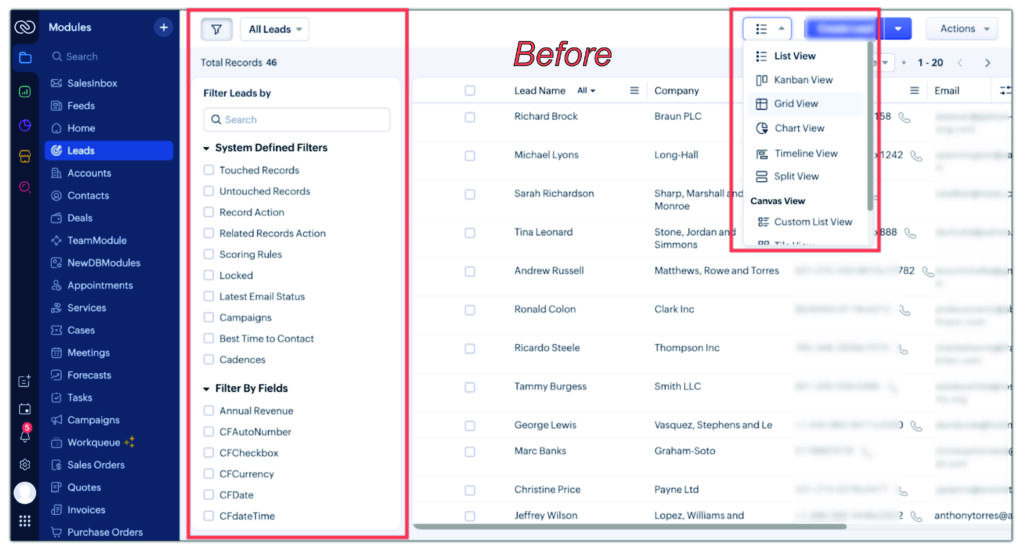
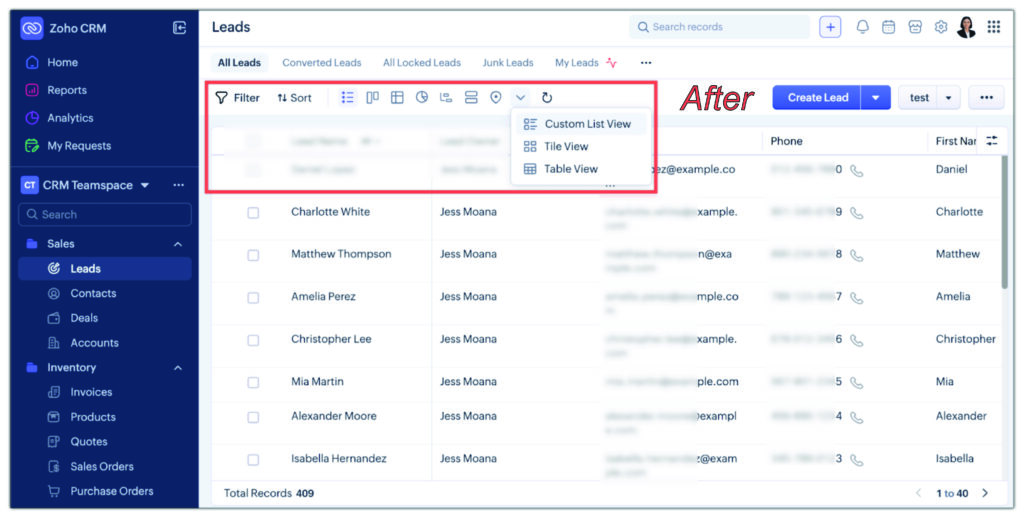
6. Unified Filters, Sorting & Record Views
Filters, sorting tools, and record view controls now sit together in one consolidated action bar for a uniform workflow.
Source: Zoho Corp. Zoho CRM for Everyone’s NextGen UI Gets an Upgrade
Source: Zoho Corp. Zoho CRM for Everyone’s NextGen UI Gets an Upgrade
Availability
All upgraded UI enhancements are exclusive to the new NextGen interface and are not supported in the Old UI or the earlier NextGen 2.0 UI. The updated NextGen UI began rollout and is anticipated to update to being the default CRM Experience by mid-May, 2026.
Upgrading to the NextGen UI
This enhanced interface, built around real customer feedback, creates a cleaner, faster, and more intuitive working environment within Zoho CRM. If you need help exploring or preparing for the new experience, our team is here to support you.
Existing Clients:
Contact your current Nimbis Designs account manager for support.
New Clients:
Schedule a free virtual consultation with Nimbis Designs here!